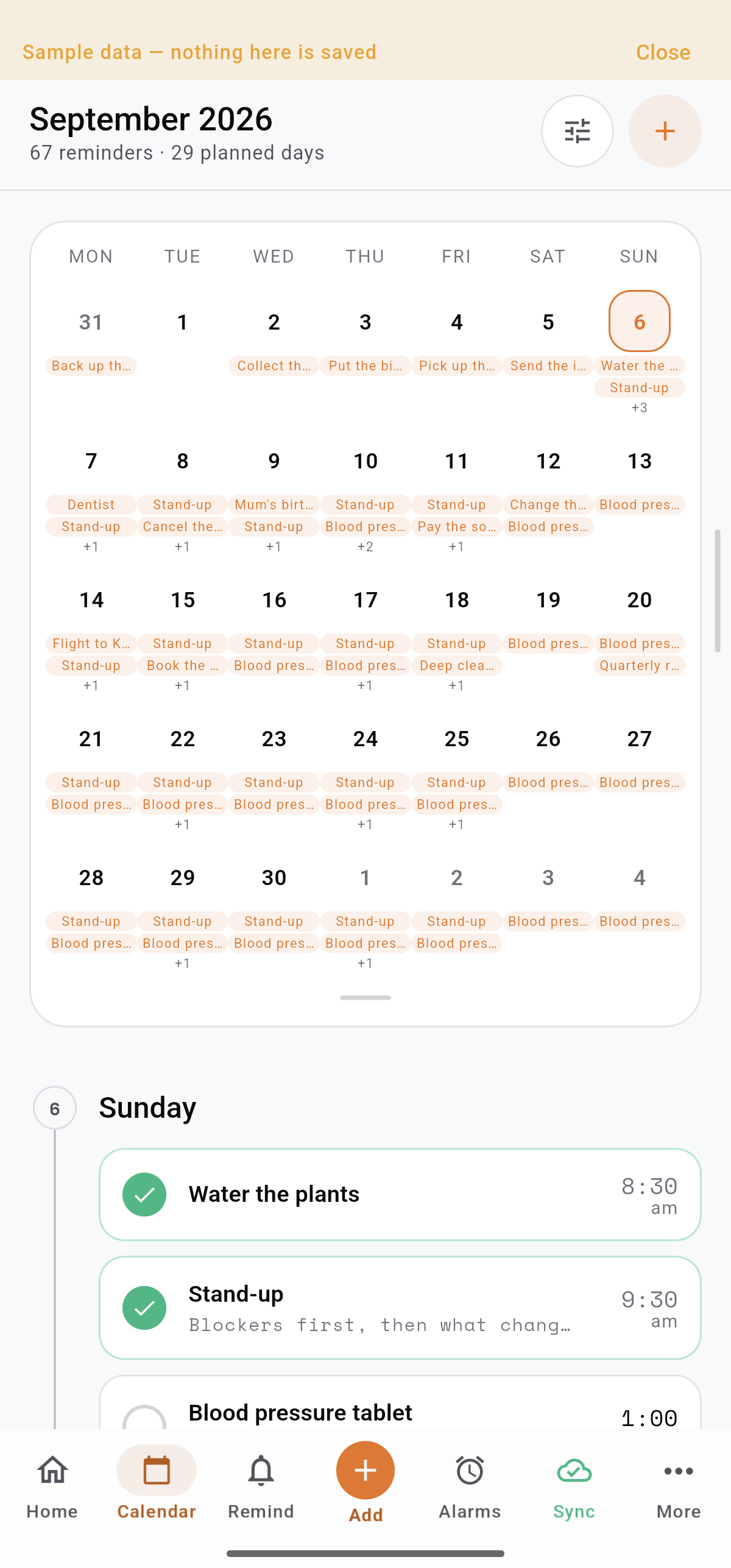
Reminders, routines, training, water, money, alarms and themes — every screen in the order you would actually meet them, captured in the current app.
ONE APP. A LOT LESS SCATTERED.
The appointment. The morning run. The money for your next big thing.
They’re all part of your life. Trakven gives each one the tools it needs, with a familiar design across all three pillars. Plan the day, follow through, and see how you’re doing.
BUILT FOR REAL LIFE
Your day stays with you. Your data stays yours.
Trakven brings the essentials together in one dependable system—ready across your devices, flexible enough to feel personal, and designed around your control.
PRIVACY-FIRST
Control is part of the product.
Permissions are requested for the features you choose. Finance can be protected with end-to-end encryption and a PIN, and you can permanently delete your account and everything in it from inside the app.
Sign in anywhere. Pick up exactly where you left off.
Your reminders, routines and finances follow your account across your phone, tablet or a new device—with offline changes queued until you reconnect.
Your phone
Synced just now
Another phone or tablet
Log in on any device
Sign in with Google and your Trakven account is ready on another phone or tablet.
Multi-device notifications
Registered devices can receive the reminders that keep your day moving.
Silence the ones you choose
Turn notifications off per device while keeping them active everywhere else.
Offline-first, always
Keep working without a signal. Trakven queues changes and syncs after you reconnect.
REMINDERS
Remember the plan. Keep all the details.
From a quick to-do to a repeating commitment, give every reminder a time, context and a clear next step.
↗
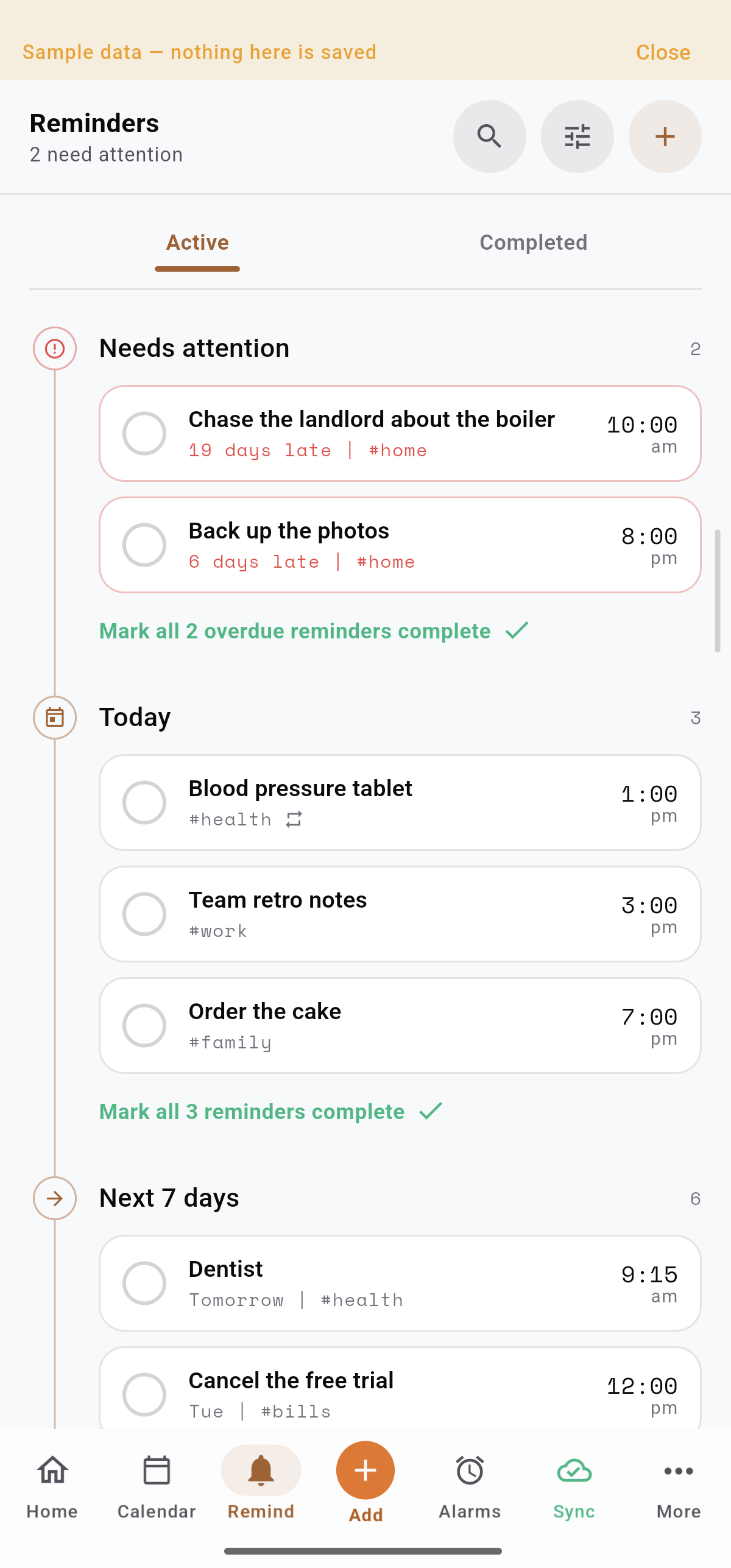
A clear view of what needs attention
Active and completed views separate what is still open from what is finished. See overdue items, today and the next seven days in distinct groups.
↗
Repeat without rebuilding
Daily, weekly, monthly and custom schedules keep recurring responsibilities moving. Add the times and alerts that suit each reminder.
↗
Checklists, tags and attachments
Break a task into steps. Add tags to organize it, and keep relevant photos or documents with the reminder itself.
↗
Find it. Finish it. Keep the history.
Search, filter and sort your list. Manage groups of reminders with bulk actions, then review completion and history when you need the context.
REMINDERS / IN THE APPReal app. Sample data. Ready to explore.
REMINDERS / EMAIL DELIVERY
A reminder that reaches you even when your phone doesn’t.
Turn on email delivery for the commitments that cannot slip—bills, renewals, appointments and deadlines. Trakven sends a separate reminder to your inbox alongside the app notification.
Choose it per reminderWorks alongside push alertsA backup for important plans
REMINDERS / ALARMS
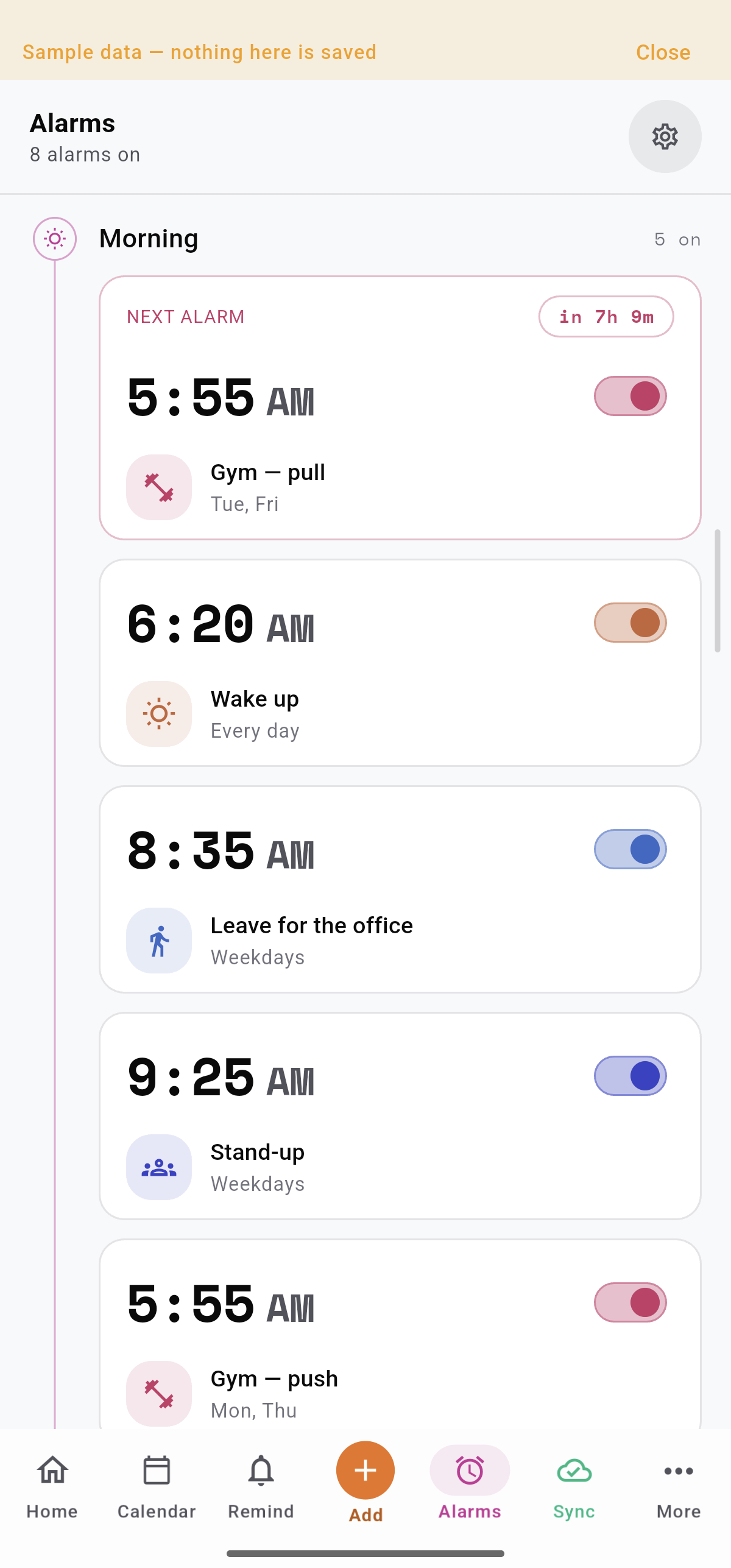
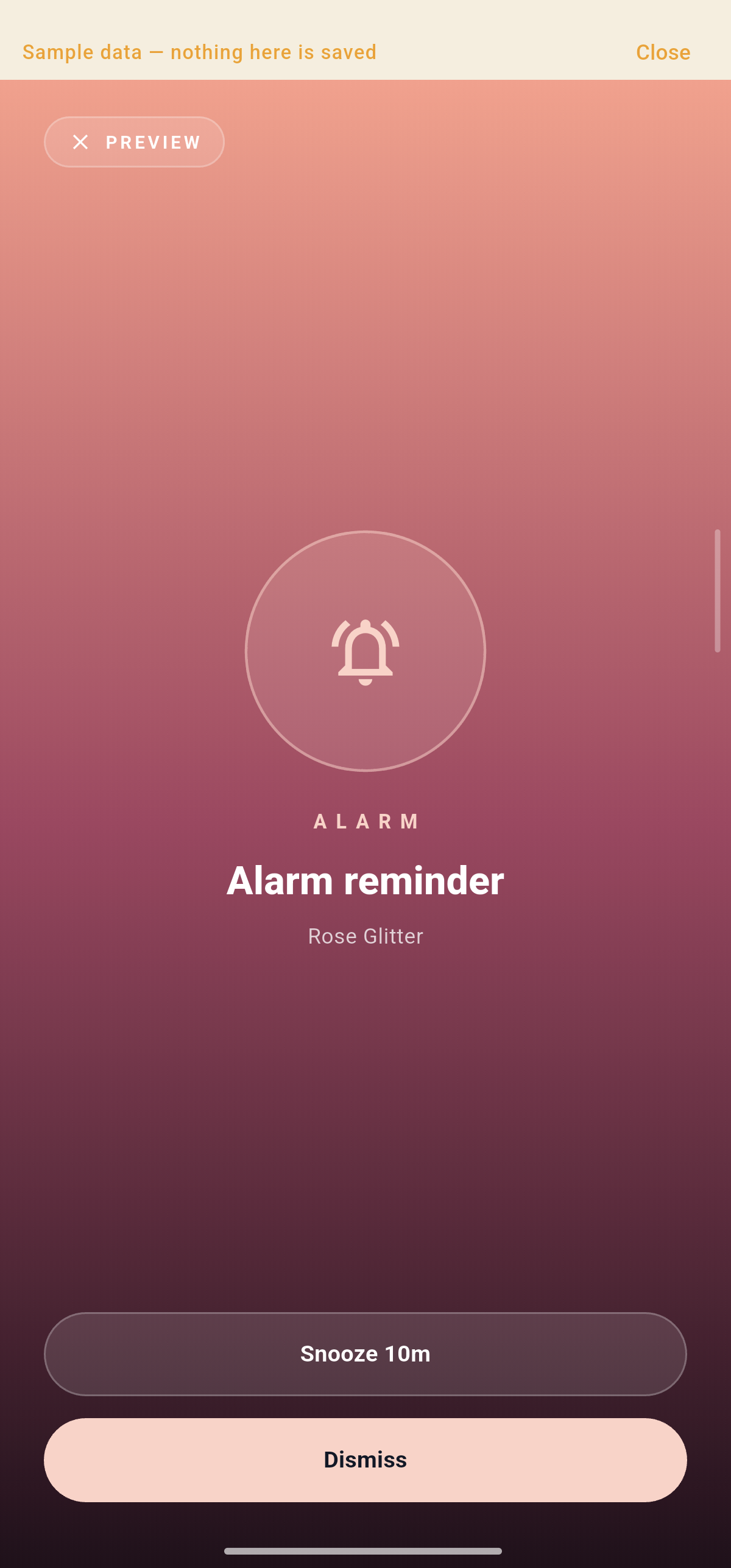
Wake-up worthy alarms. Dressed your way.
Dedicated alarms make the next enabled alarm easy to spot, with a large time, a visible switch and a countdown. Choose a ringing theme that fits you, then set repeat days, sound, snooze and auto-dismiss behavior.
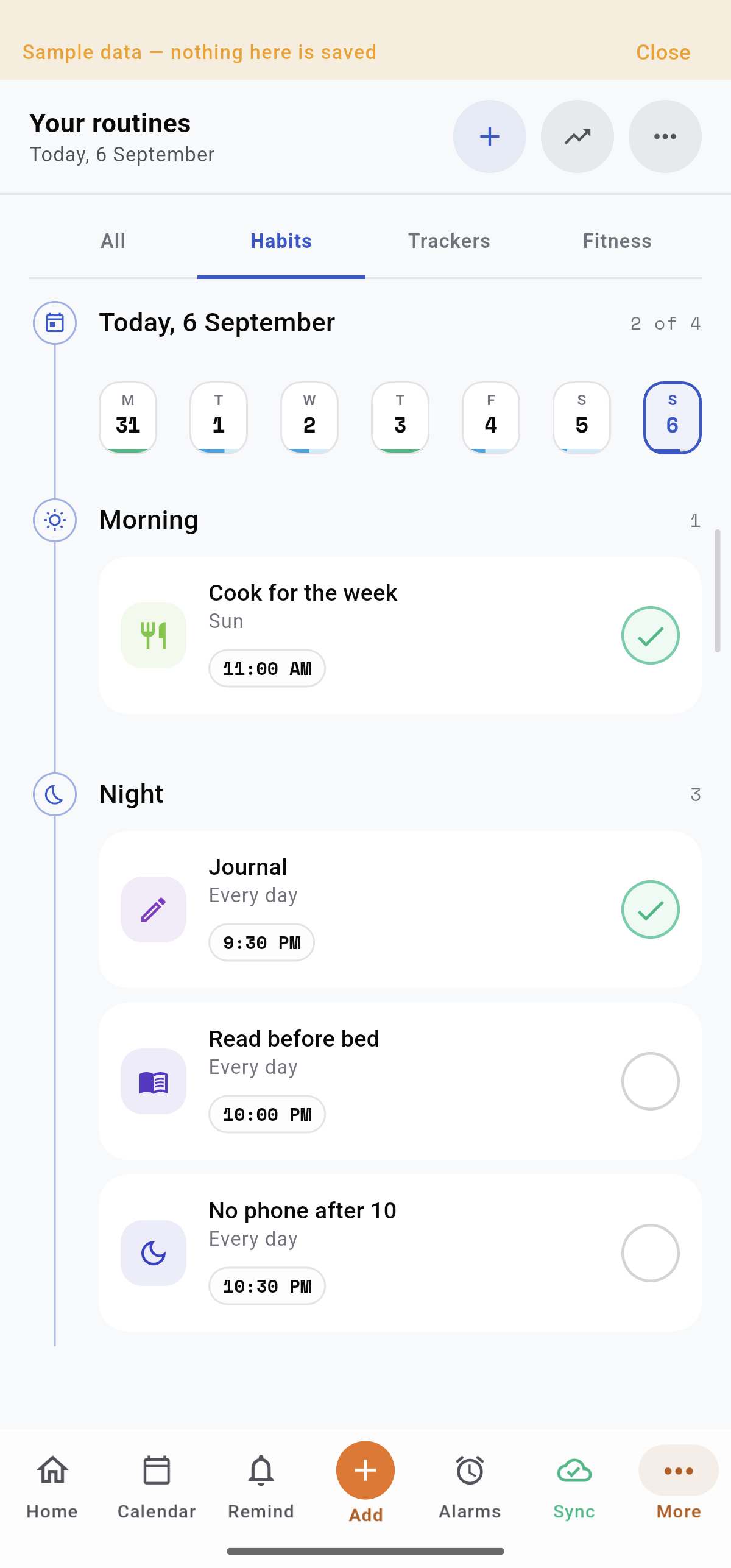
Build a habit. Track any measurable goal. Show up for a workout. Different goals, with the right view for each.
SMALL ACTIONS. A STEADIER RHYTHM.
Keep the promises you make to yourself.
Reading, journaling or cooking for the week. Set your schedule and keep today’s actions within reach.
Flexible frequency: choose weekdays, times per week or month, every few days, or a custom calendar
Guilt-free pausing: plan a break without losing the streak and history you already earned
Heatmaps, streaks and a matrix: see current and best streaks, year-long activity, and every habit together
Choose a view to explore the actual app.
Current Android app · Sample data
TRACK WHAT MATTERS TO YOU
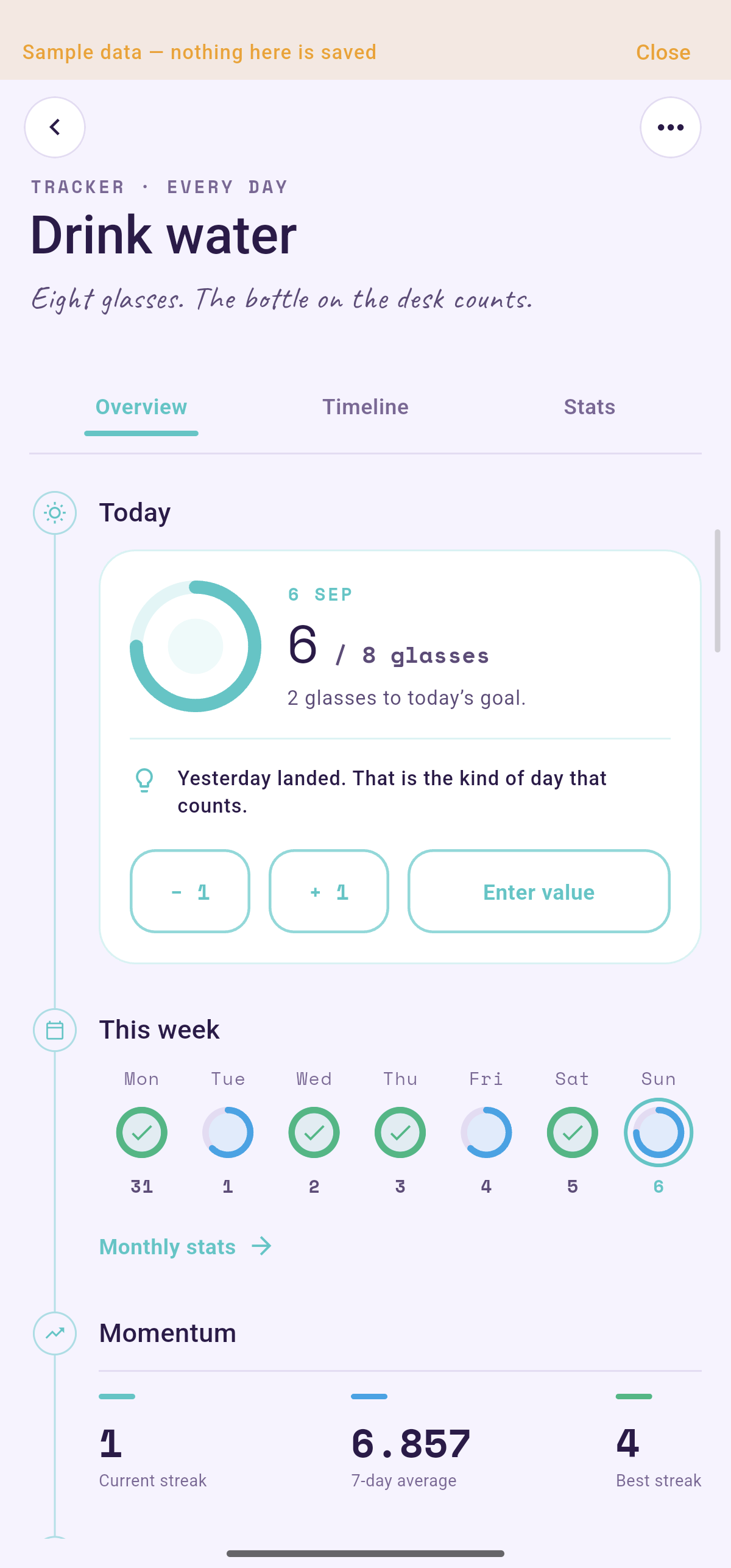
Turn any number into visible progress.
Create a tracker around your own target—water glasses, daily steps, reading pages, practice minutes, or anything else you want to measure. This eight-glass goal shows how it works.
Overview: today’s goal, quick logging and streaks
Timeline: daily values and changes between entries
Stats: weekly trends and weekday patterns
Choose a view to explore the actual app.
Current Android app · Sample data
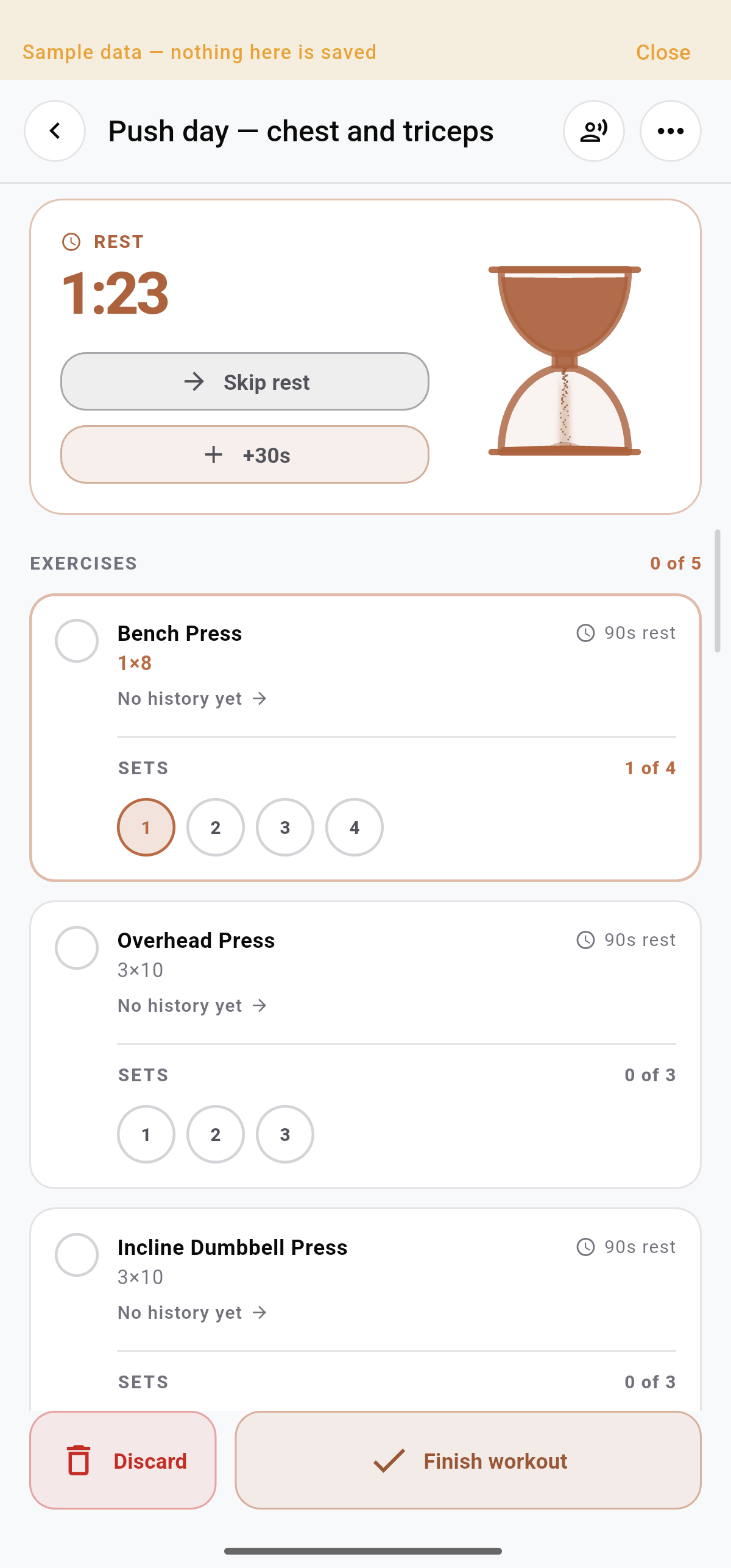
A LIVE PUSH DAY / CHEST & TRICEPS
Your training deserves a track record.
Run a complete Push Day with exercise plans, set progress and rest timing, then review the sessions you kept and how your training adds up.
A live workout with exercises, sets and rest timing
A calendar of completed and missed workouts
Weekly consistency and longer-term stats
Choose a view to explore the actual app.
Current Android app · Sample data
ROUTINES / ANALYTICS THAT TELL YOU SOMETHING
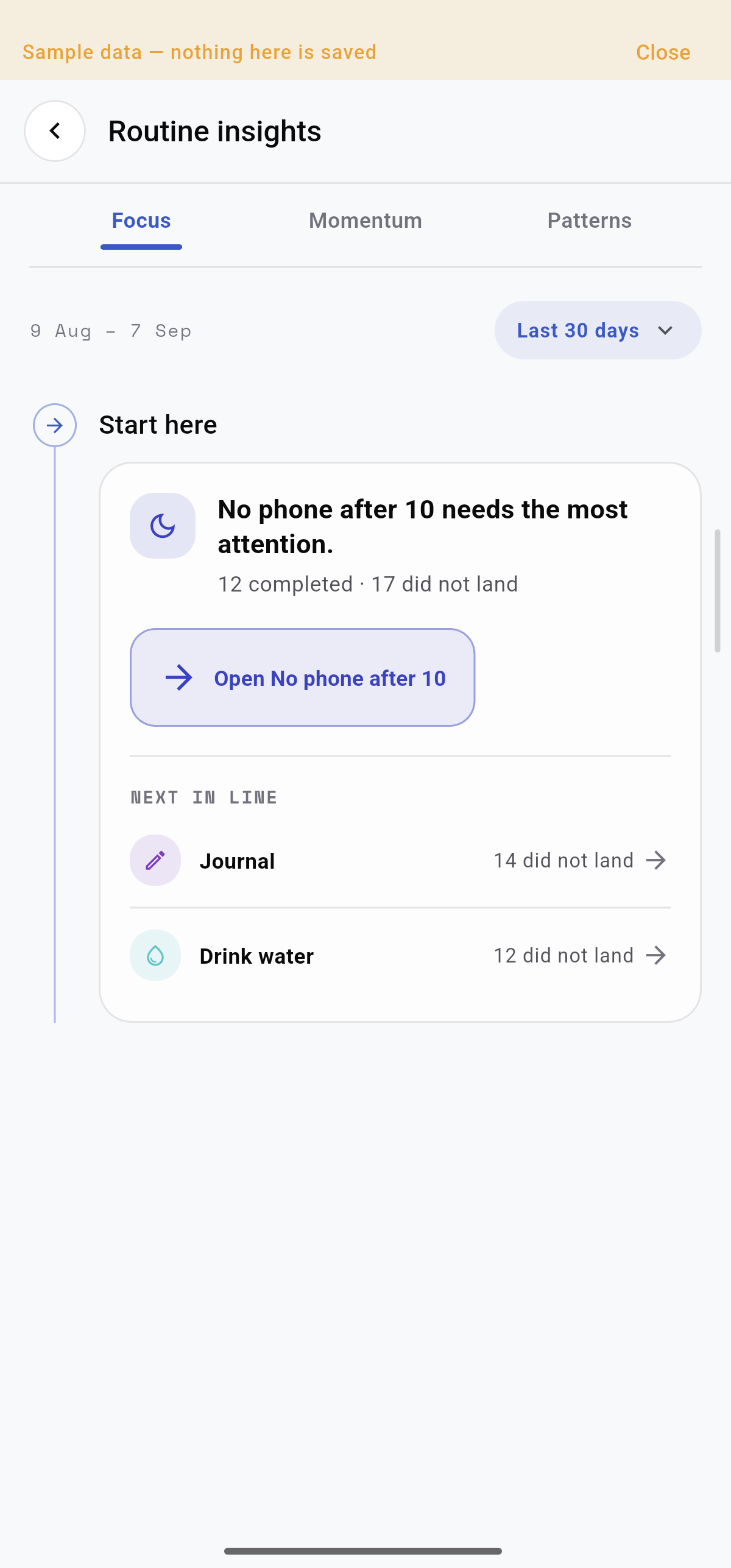
Don’t just count the days. Understand your patterns.
See what needs attention, how consistency is moving, and which days work best.
Explore Focus, Momentum and Patterns.
FINANCE / FROM NUMBERS TO CLARITY
Know where it goes. Decide what comes next.
Your balances, payday plan and savings goals. With analytics that make the bigger picture easier to read.
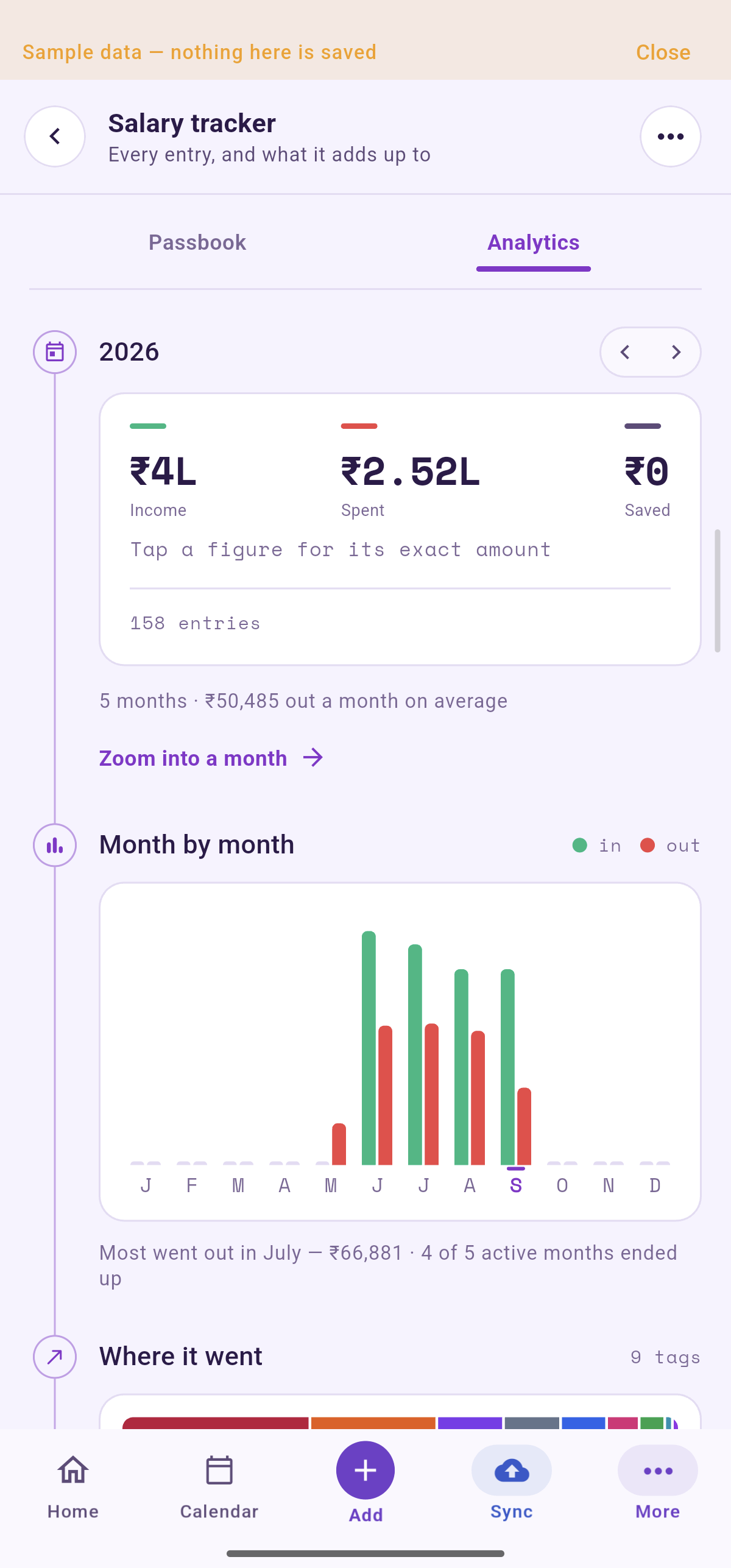
THE STORY BEHIND YOUR SPENDING
See the pattern, not just the balance.
Compare money in and out across months. Then explore the categories behind your spending.
Income, spending and saving in one summary
Month-by-month cash flow and running balance
Spending by tag, with amounts and percentages
Choose a view to explore the actual app.
Current Android app · Sample data
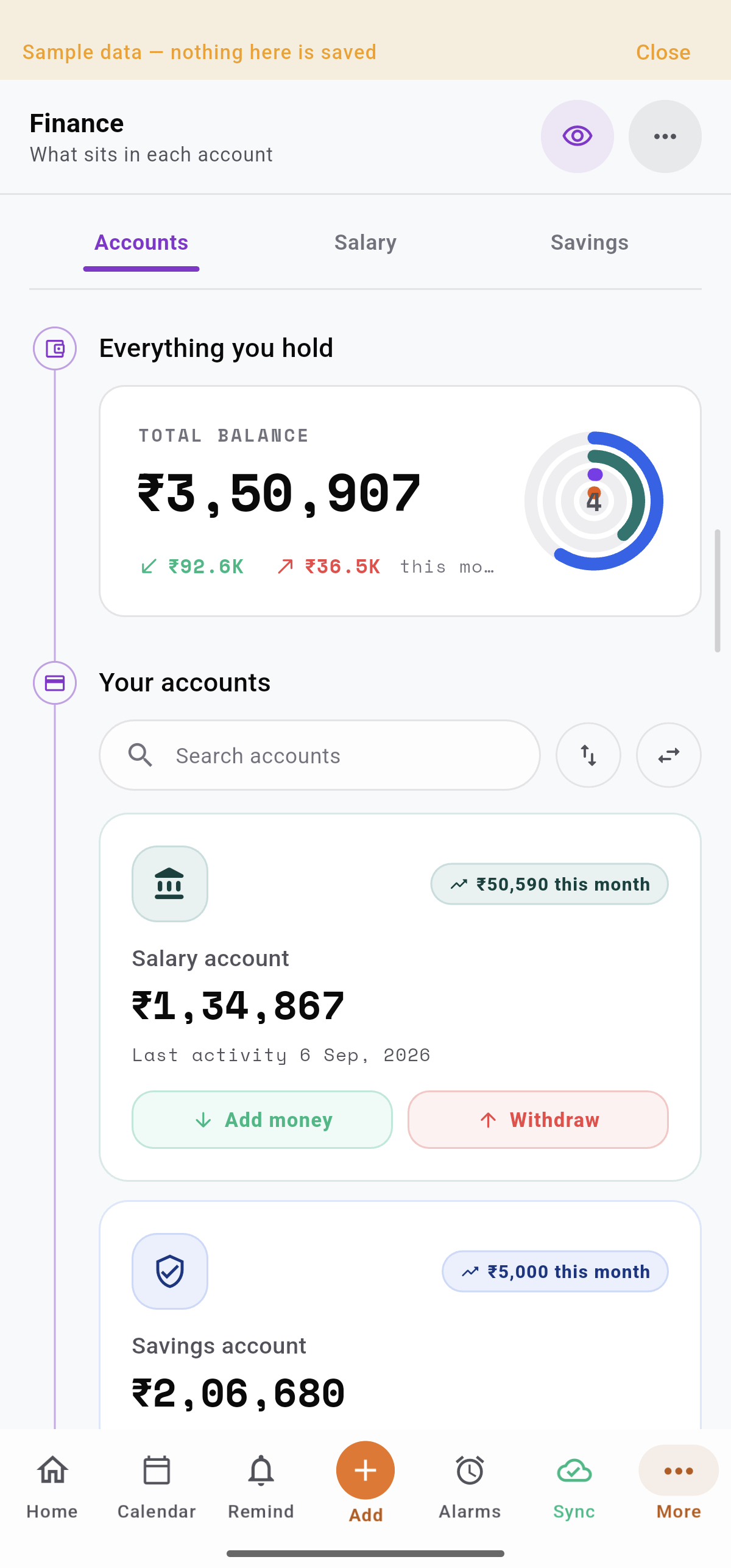
WHAT YOU HOLD / ALL TOGETHER
Give every account a clear place.
Keep balances and activity together, without connecting to your bank. You enter the records; Trakven organizes them.
Add, withdraw and transfer between accounts
See individual balances and total holdings
Find accounts and review recent activity
Choose a view to explore the actual app.
Current Android app · Sample data
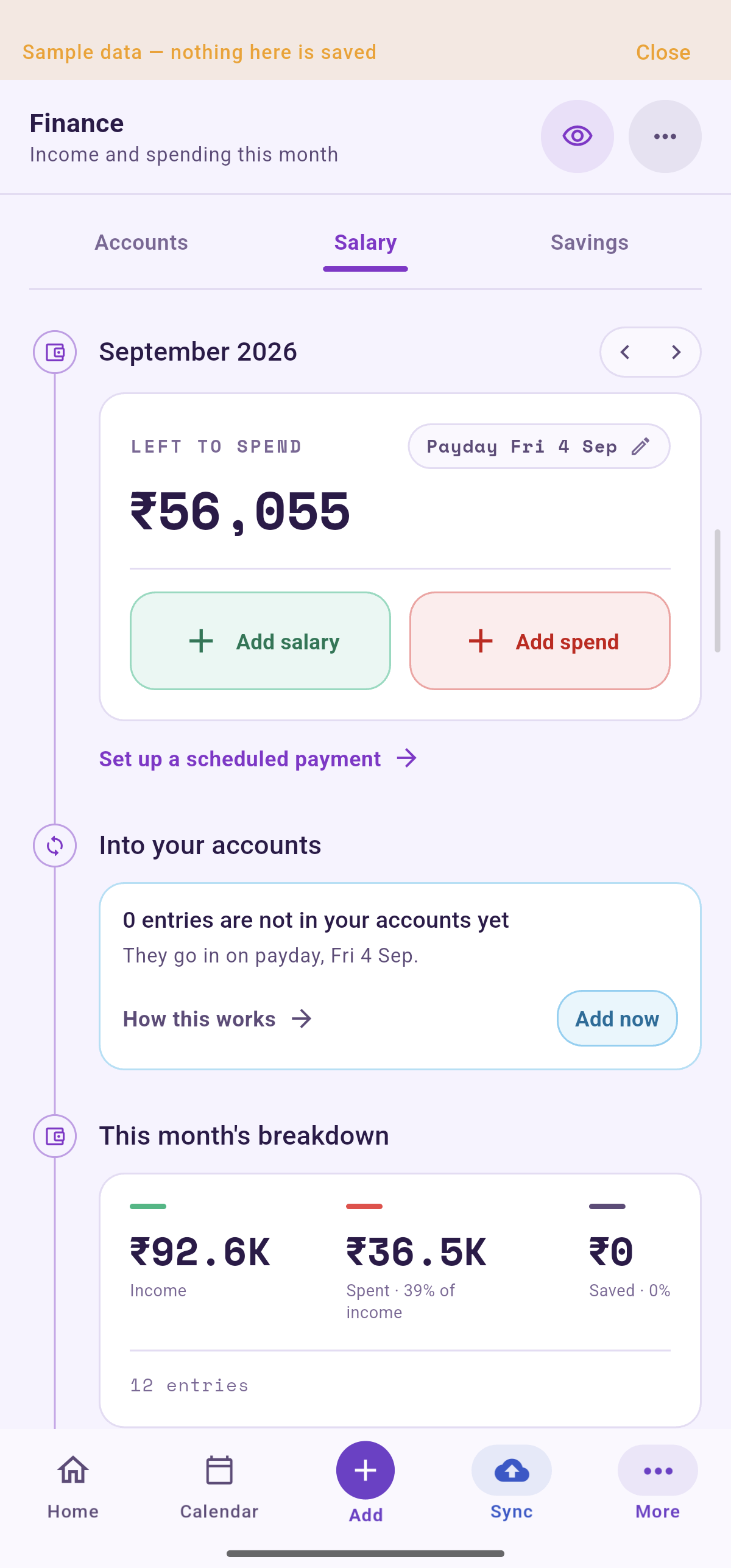
PLAN AROUND YOUR PAYDAY
Know what’s left to spend.
Track income and spending for the month, with a clear view of entries waiting to reach your accounts on payday.
Plan income before it reaches your balance
Schedule subscriptions and repeat payments
Reuse spending templates and review the passbook
Choose a view to explore the actual app.
Current Android app · Sample data
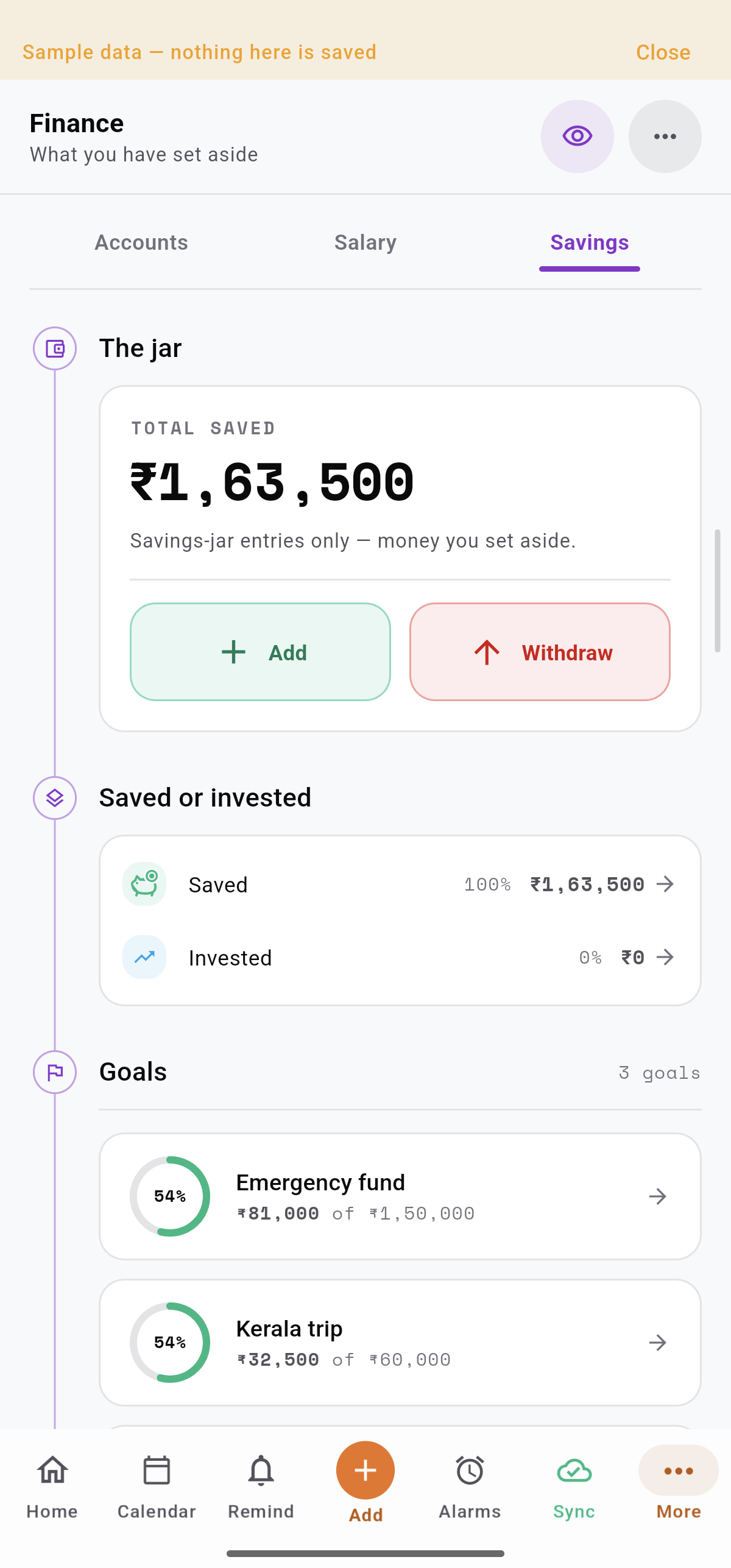
THE MONEY YOU KEEP / THE LIFE YOU WANT
Give your savings a destination.
Build your savings jar and direct it toward something that matters—an emergency fund, a trip, or your next goal.
Your financial life deserves more than a hidden screen. Trakven gives you a private vault, clear controls and optional end-to-end encryption—with no bank login required.
01
Protected before sync
Encryption happens on your device before Finance data is sent anywhere.
02
Only ciphertext reaches sync
With vault encryption enabled, cloud sync stores the sealed Finance vault.
03
You hold the way back in
Your passphrase or recovery key unlocks Finance on another device.
THE CORE PROMISEWith vault encryption enabled, Trakven cannot read your Finance records.
Fast local unlock
Use your Finance PIN or device fingerprint for quick access on an already-unlocked device.
Privacy at a glance
Hide balances when someone is nearby, or lock the entire vault when you need stronger protection.
No bank connection
You add and manage every account and entry. Trakven never signs in to your bank.
Keep your recovery key somewhere safe. Your PIN and fingerprint work on this device only. If you lose your passphrase, recovery key and every unlocked device, the encrypted vault cannot be recovered.
THE EVERYDAY CONNECTION
Start with today. Keep the bigger picture close.
Reminders, Routines and Finance each have depth. The everyday tools around them make it easier to find what you need.
TODAY & UPCOMING
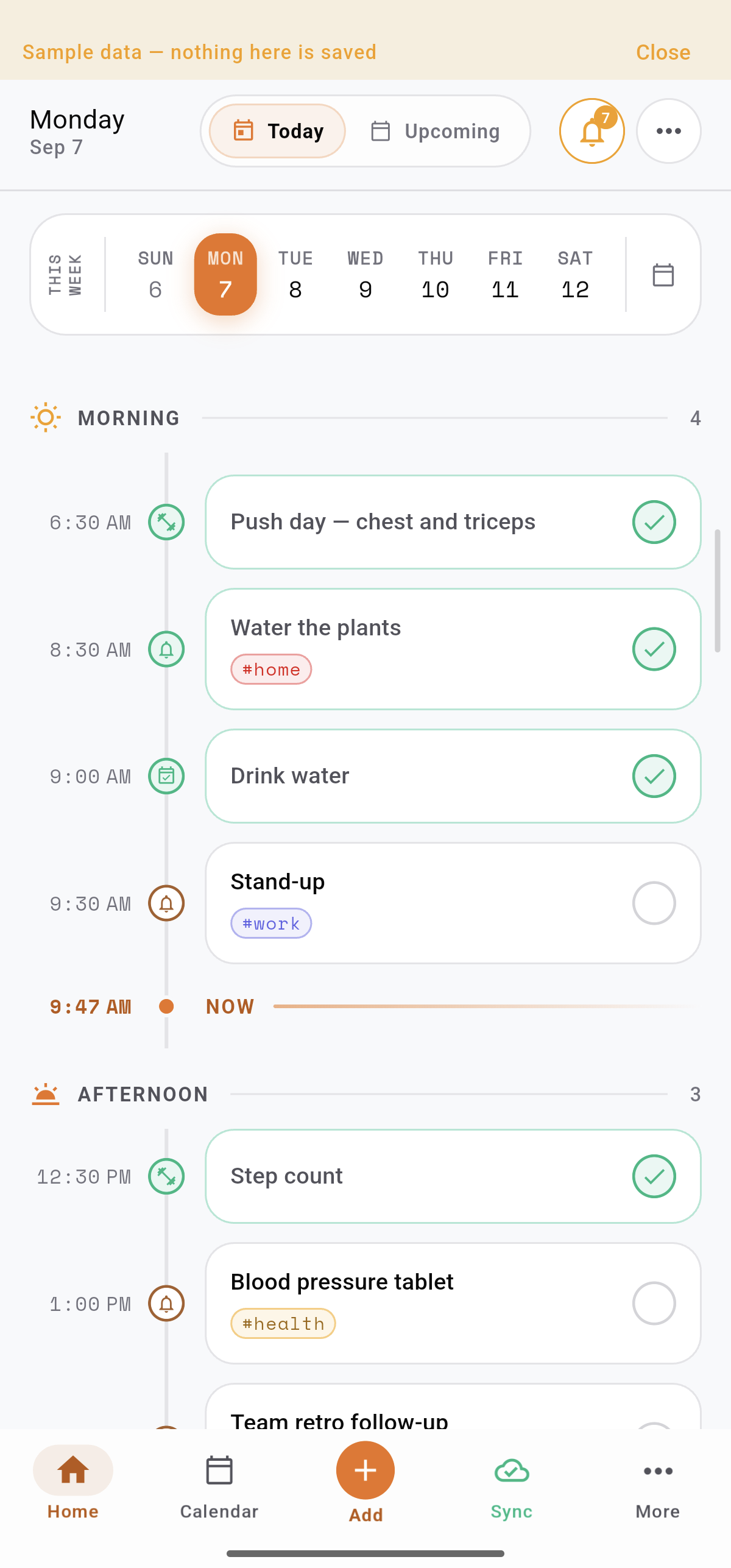
See your day unfold.
Follow the timeline through morning, afternoon and evening. Use the week strip or Upcoming to look ahead.
CALENDAR
Give your plans perspective.
Find a date, explore scheduled items and move between calendar views to understand what’s coming.
SAVINGS
See what you’re building.
The savings jar, saved and invested totals, goals and recent activity keep your progress together.
MAKE IT UNMISTAKABLY YOURS
Twelve themes. A whole lot of you.
Choose a quiet neutral, a deep dark surface or a vibrant color. The theme carries through the app, with consistent accents, readable figures and the same familiar layout.
Light Light · Sand · Graphite
Dark Dark · Midnight · AMOLED · Ember
Vibrant Nature · Sunset · Ocean · Rose · Violet
Aa
Find your type
Choose from the font catalogue and adjust text weight. Keep the app comfortable to read, with Space Mono for figures you compare.
◐
Follow your device
Use the system theme preference or keep your chosen look. Light, dark and vibrant families give you a clear starting point.
↔
Make the controls fit
Customize bottom-bar shortcuts, their order and visibility. Adjust haptic feedback and swipe actions to suit how you use the app.
THE DETAILS ADD UP
More useful, every day.
Home-screen widgets
Bring plans and routines closer with Android widgets. See useful information and jump into the relevant part of the app.
Quick capture
The central Add action gives you a place to start. Capture the next reminder or routine without hunting through menus.
In-app assistant
Ask for help turning an idea into a clear reminder or routine, then review the details before adding it to your day.
Offline work & visible sync
Keep working with your local data. The sync area shows progress, waiting changes and errors when your account reconnects.
Attachments & storage
Manage attachment usage, upload quality and offline files. Keep the documents you need alongside the plans they support.
Try it with a full day inside
Demo mode opens a separate sample world. Explore, add and edit freely; closing the demo discards those changes and returns to your own data.
GOOD QUESTIONS
Before you step inside.
What is Trakven for?
Trakven organizes everyday life around Reminders, Routines and Finance. Plan tasks and alerts, track habits and fitness, understand your progress, and manage your own accounts, salary and savings.
Are these the current app screens?
Yes. These previews were captured from the current Android Dev build in demo mode, using sample data. Appearance depends on your chosen theme and app version.
Can I download it now?
The public Android release is coming. Join the launch list to receive an email when Trakven is available on Google Play.
Does Finance connect to my bank?
No. Trakven is a manual organizer and planning tool. You enter the information and control the records.
What happens after I sign up?
We will email you when Trakven becomes available on Google Play.
CONTACT & SUPPORT
Need a hand? Reach Trakven directly.
Questions, bugs and product feedback are welcome. Choose the support path that works best for you.
Include what happened, your device and app version so the issue can be understood faster.